I love Instagram! I love that I can make my pictures look much better than they look when I take them. I love that I can share them with my friends. I love that I can see everyone else’s pics as well and see what they’ve been up to. I love that I can easily share Instagram to Facebook as well.
Oh! You haven’t worked out how to share them to Facebook yet? Well, here’s the step-by-step tutorial.
How to Share your Instagram Photos on your Facebook Page
NOTE: This post was edited June 2013 to reflect Instagram changes.
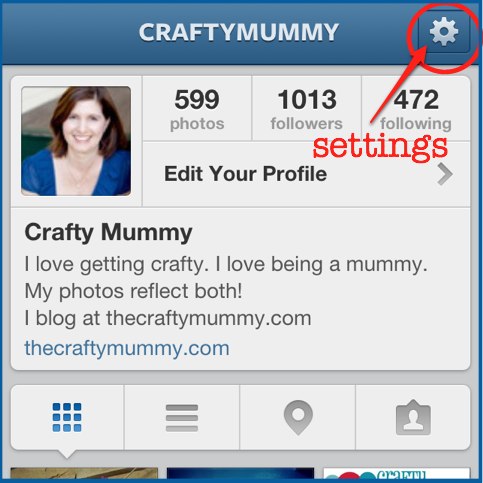
Go to your Profile page on Instagram by tapping on the Icon at the far right of the bottom of the screen. Then tap on the Settings button in the top right hand corner.
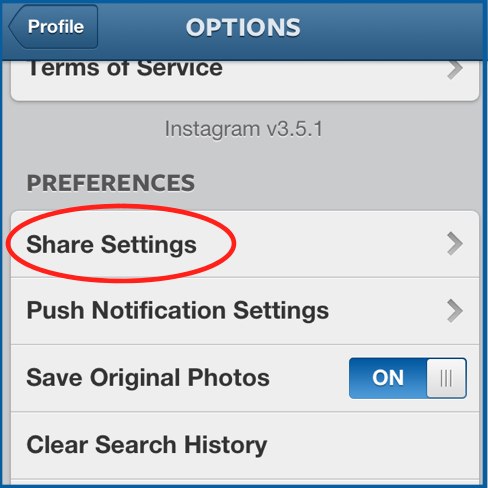
The next screen will give you some options and you need to tap the “Share Settings”.
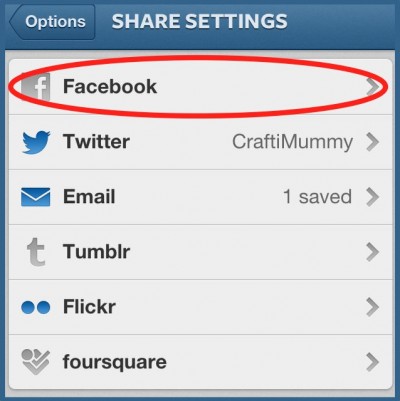
The Share Settings screen will show you which networks you have already linked to Instagram. The blue ones are already linked so you can see my Twitter account was already connected. Tap on Facebook to link it. (If your Facebook is already linked but you want to post to your pages, keep reading.)
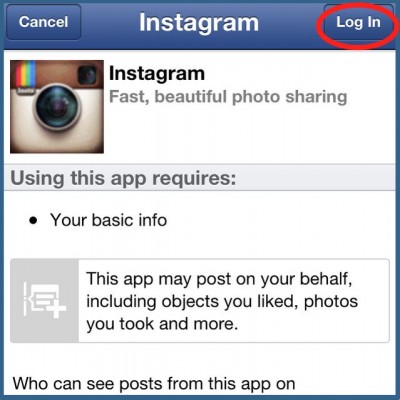
Now you will need to authorise Instagram to log in to your Facebook account by tapping “Log In” in the top right corner.
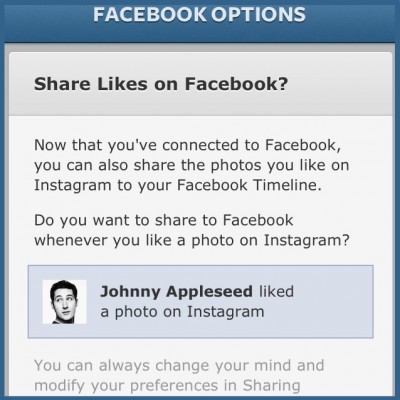
Once it has connected, you can click Yes or No on this page to allow your Likes to show on your Facebook feed. This will mean that each time you like a photo on Instagram, a little news item will appear on Facebook telling your friends.
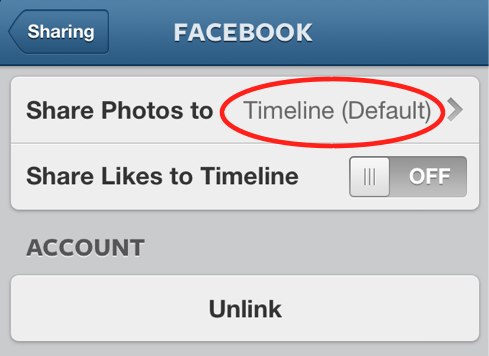
Now that your account is connected, you can choose where your photos will appear. From your Profile, go into the share settings again and tap on Facebook again. Now you will have these options. “Share Photos To” is automatically set to your wall. This is the wall of your personal Facebook profile. Tap on “Share Photos To” to change that default. On the next screen authorise Instagram to access all your pages.
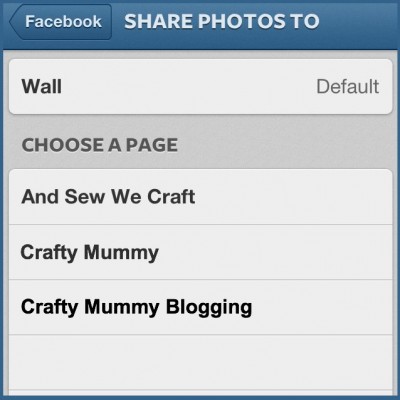
Once it is authorised, you will see all your pages listed like this. Click on the page you want your photos to go to and a check mark will appear beside it.
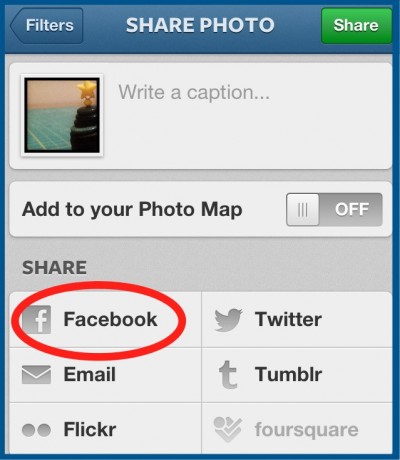
Now that your settings are sorted, you can share to your Facebook page each time you take a photo. When you get to the screen in Instagram where you type your comment, tap on Facebook before you share. That’s it!
Bonus – Another Way to Share
If you forget to tap the Facebook option before you share (like I usually do!), it is not too late. Your Instagram photos also get saved to your phone camera roll by default so you can share them from there.
- Go into your phone Facebook Pages app
- Choose “Share Photo”
- Upload the photo from your camera roll
- Add a comment
- Post it!
I prefer to share this way to my page because the photo appears nice and big in the news feed and therefore gets more attention.
Are you on Instagram? Share your user name so I can follow you!








Ah huh now I think it makes sense.
Glad to help, Trudie!
I get asked this a lot! Glad you’ve posted about it. Originally on Instagram you couldn’t post to your page – I was so glad when that changed!
Thanks Nikki. Now when you get asked, feel free to send them over ;o)
I am holding my hand up to say that no, I didn’t know how to do this so thanks. It was very easy to follow as well. I found your link on Nikki’s blog by the way.
Thanks, Lilly! Glad to help!
Thank you so much for this tutorial. I could get my photos to post to my personal facebook page but not to my blog one. Found you via Styling You.
Cheers Kylie
Glad to help, Kylie!
Hi Tonya. I always wanted to know how to link IG to my FB page and not my personal page so thank you for sharing that. Unfortunately, when I click on “Edit Profile”, I don’t get that same screen as you. I get “Public Profile” and my IG name, blog address etc. Something totally different to the above. Is there something I’ve done wrong?
Anne xx
Hi Anne. Looks like Instagram has changed since I wrote this post! I’ll do some editing but in the meantime click the settings symbol in the top right corner of your profile screen. Then choose “share settings” and Facebook. Once you have connected to your personal profile, you can go back to this FB screen in Instagram and change the default share to your timeline to be sharing to your page instead.